Year Make Model search: shoppers see only the parts that fit.

A vehicle selector and parts finder for Shopify auto parts stores. Results look like your store, not an app.

Every feature on every plan · no charge until the trial ends

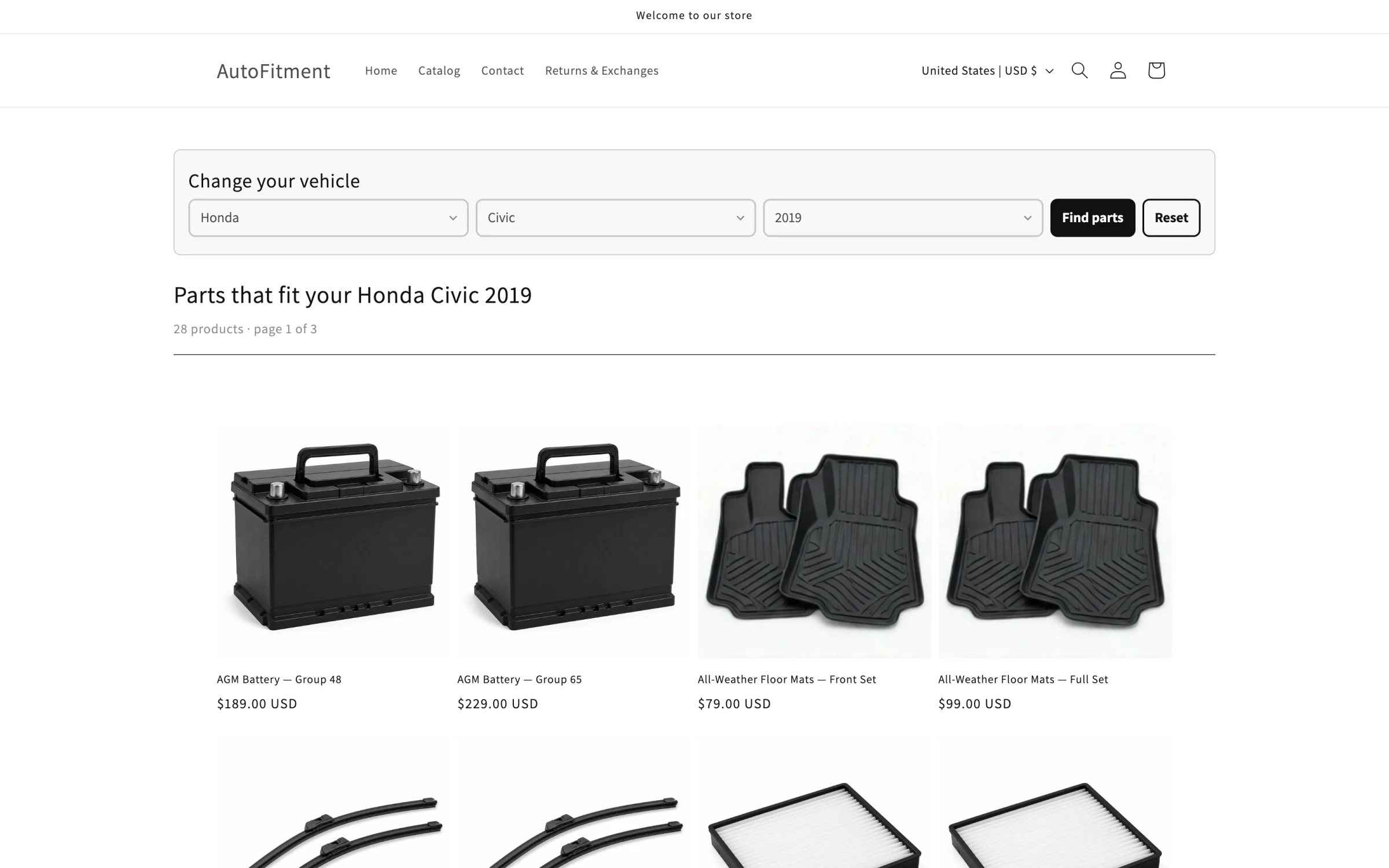
A store's results page. The picker is set to Honda, Civic, 2019. The heading reads Parts that fit your Honda Civic 2019, with 28 products and a grid of batteries and floor mats.
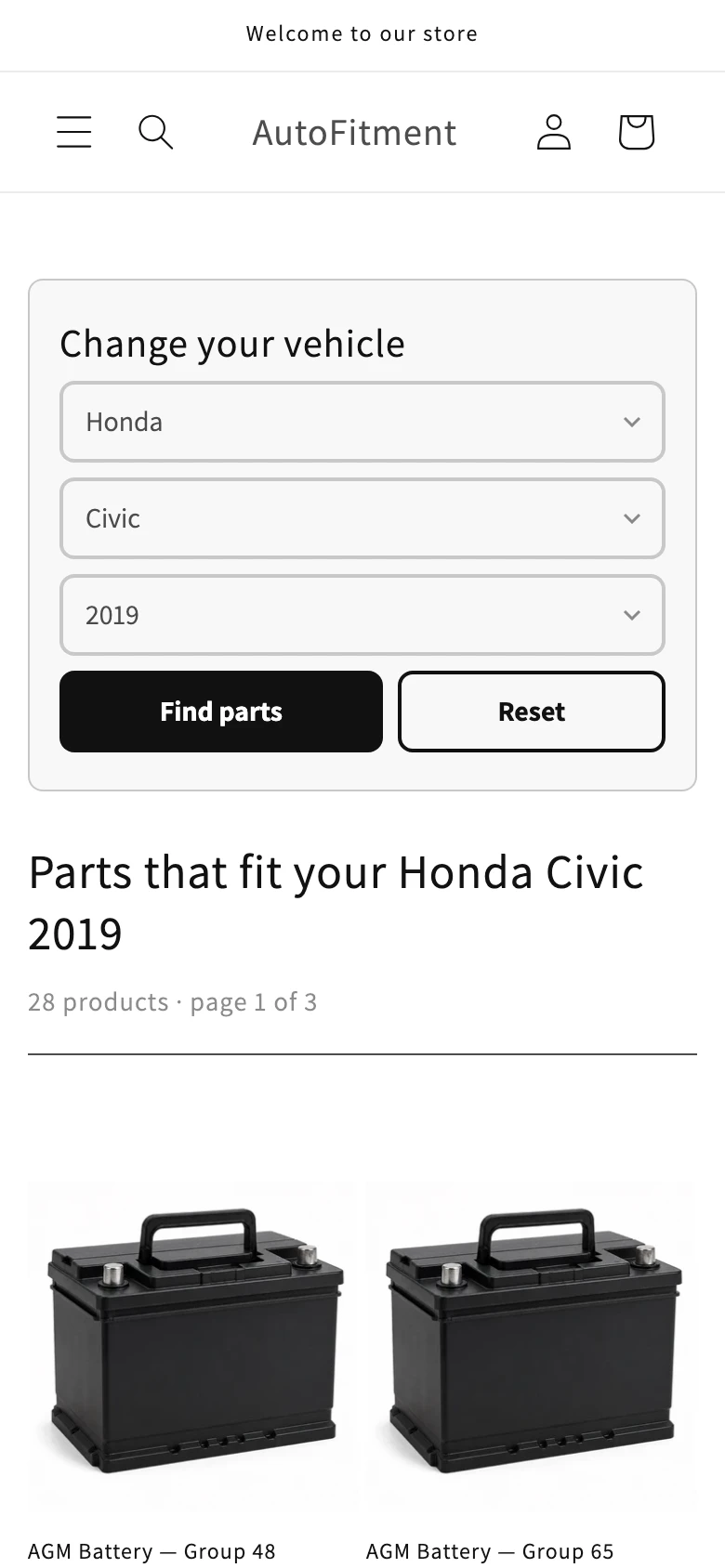
The same results page on a phone. The picker is set to Honda, Civic, 2019, and the heading reads Parts that fit your Honda Civic 2019, above two battery photos.

What it does

Search that fits, imports you can undo

Vehicle selector and results

Pick a vehicle. See what fits.

This is Year Make Model search, often shortened to YMM. Shoppers choose make, model and year once, and the results page lists only the parts that fit that vehicle.

The picker is a multi-level dropdown filter, and you choose the levels. With vehicle type, brand, model and engine, the dropdowns are dependent: pick a vehicle type, then only its brands show, then only that brand's models, then engine.

My Garage, synced to customer accounts across devices.
Vehicle fitment on product pages

A clear yes. An honest no.

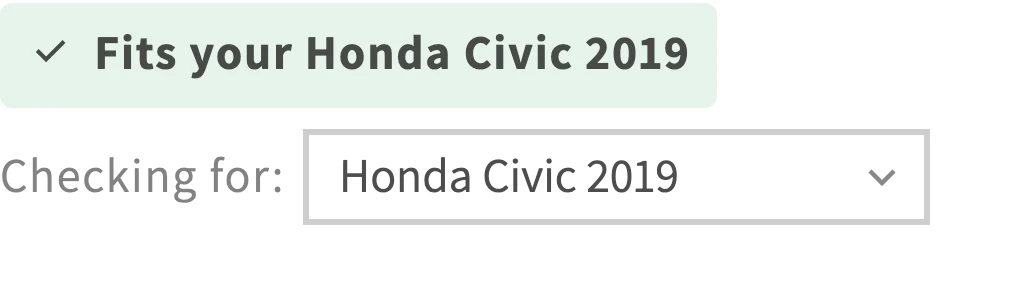
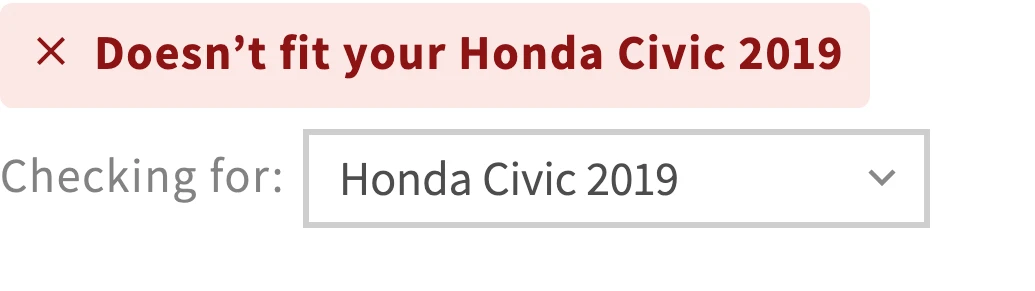
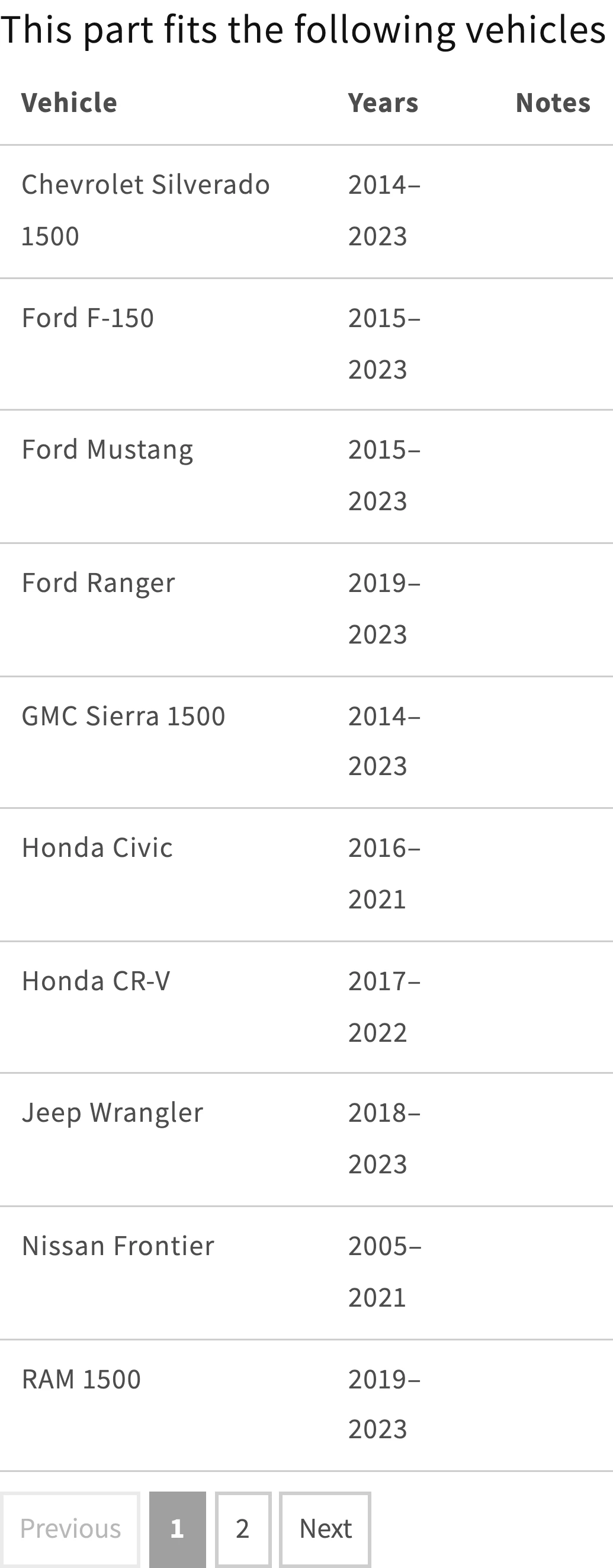
The fit badge tells shoppers whether this part fits the vehicle they picked. The fitment table lists the vehicles the part fits.

Both are app blocks. You place them where you want them.

Matches the shopper's vehicle
A product-page badge reading Fits your Honda Civic 2019, with a Checking for selector set to Honda Civic 2019.
Does not match
A product-page badge reading Doesn't fit your Honda Civic 2019, with a Checking for selector set to Honda Civic 2019.
Fitment table
A table titled This part fits the following vehicles, with Vehicle, Years and Notes columns listing Chevrolet Silverado 1500, Ford F-150, Ford Mustang and Ford Ranger.

Storefront look

Your brand on the storefront

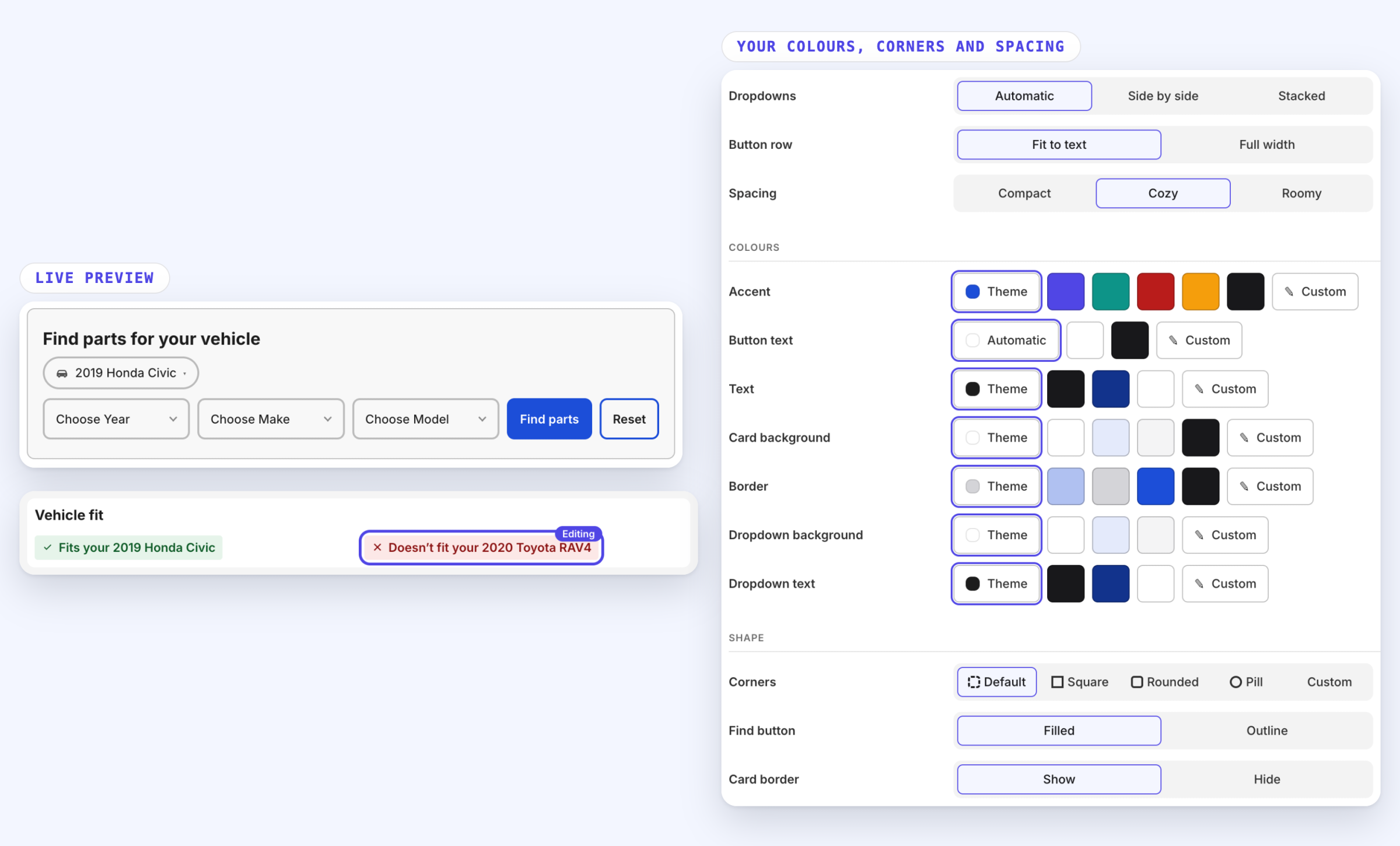
Set your colours, corners and spacing. Change every word, in any language.

Preview every change before you save.

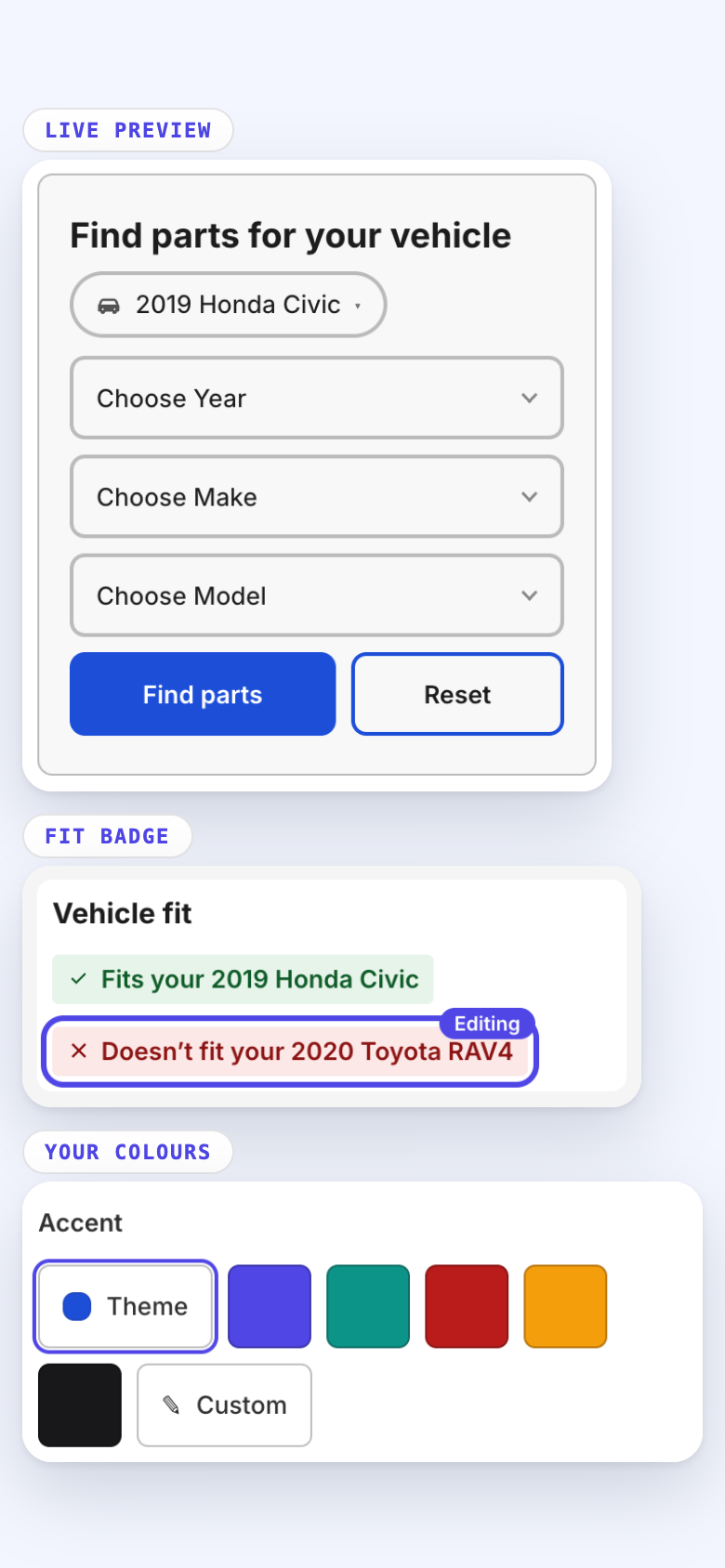
The Storefront page. At the left, a live preview of the vehicle picker with Year, Make and Model dropdowns, a Find parts button and a Reset button, and the fit badge reading Fits your 2019 Honda Civic and Doesn't fit your 2020 Toyota RAV4. At the right, the controls for dropdowns, spacing, colours and corners.
The Storefront page on a phone: the live preview of the vehicle picker, the fit badge, and the accent colour choices.

Your catalogue, your fields

Fitment fields you define

Car parts use make, model and year. Call Make "Brand" if your shoppers do, and add Engine or Vehicle type where it changes the answer. You name the fields and choose which ones shoppers pick.

It is not only for vehicles. With your own fields it is a product compatibility checker: shoppers find parts by model number and see what is compatible with the bike, mower or printer they own.

Year ranges stay ranges. 2010 to 2014 is one fitment row, not five.

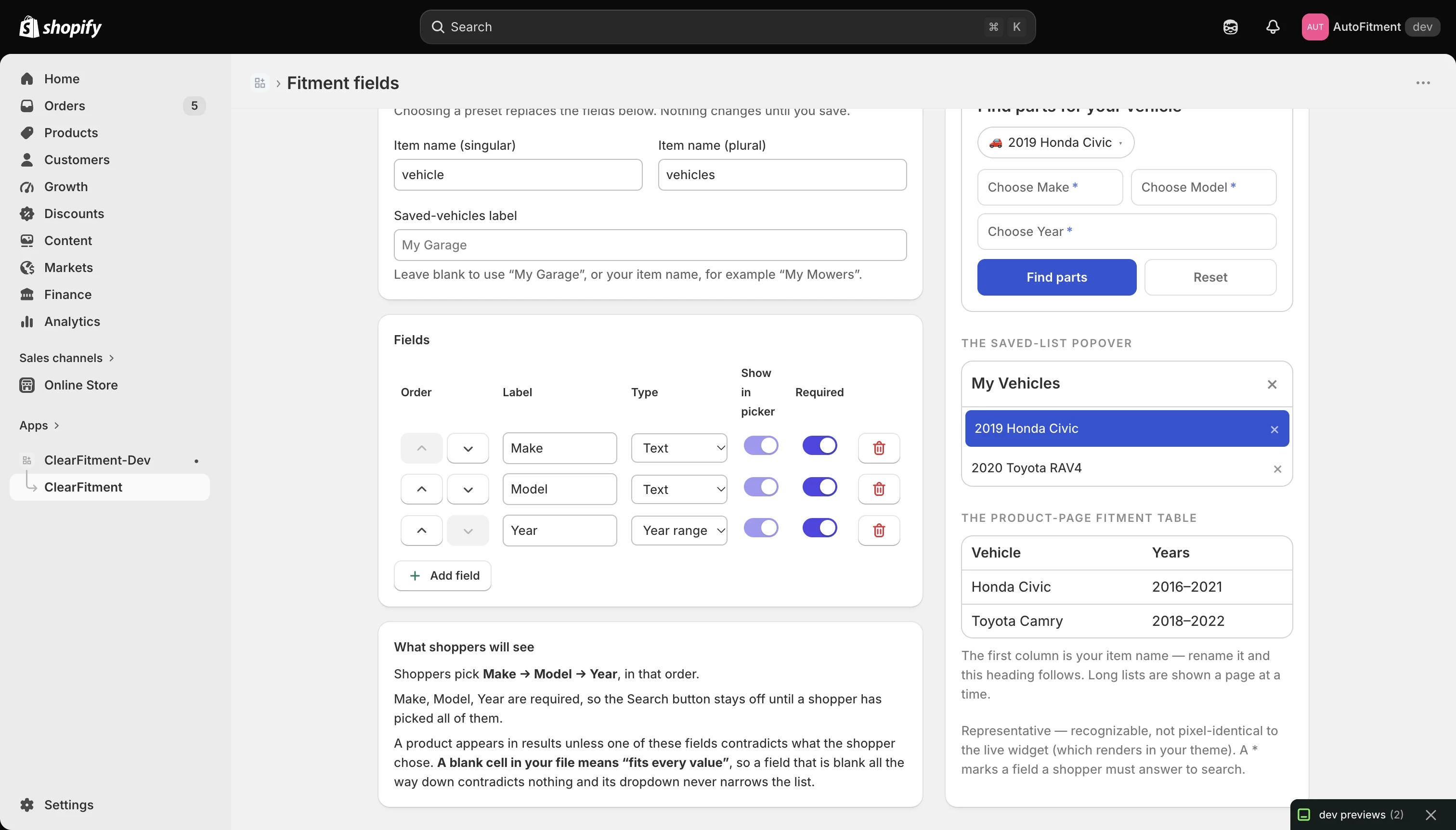
The Fitment fields editor in the Shopify admin. Make, Model and Year rows each have a type, a show-in-picker switch, a required switch and a delete button.
A preview of My Garage showing 2019 Honda Civic and 2020 Toyota RAV4, above a product-page fitment table.

Imports and History

Imports you can preview and undo

CSV import previews every add, change and skip, and never overwrites what is already there.

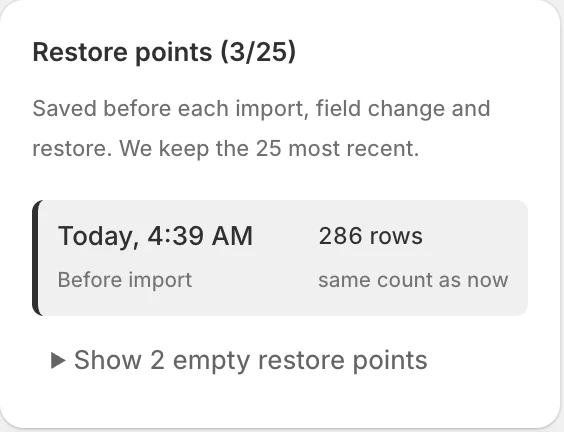
Every bulk change is saved first, so you can roll back in one click. We keep 25 restore points.

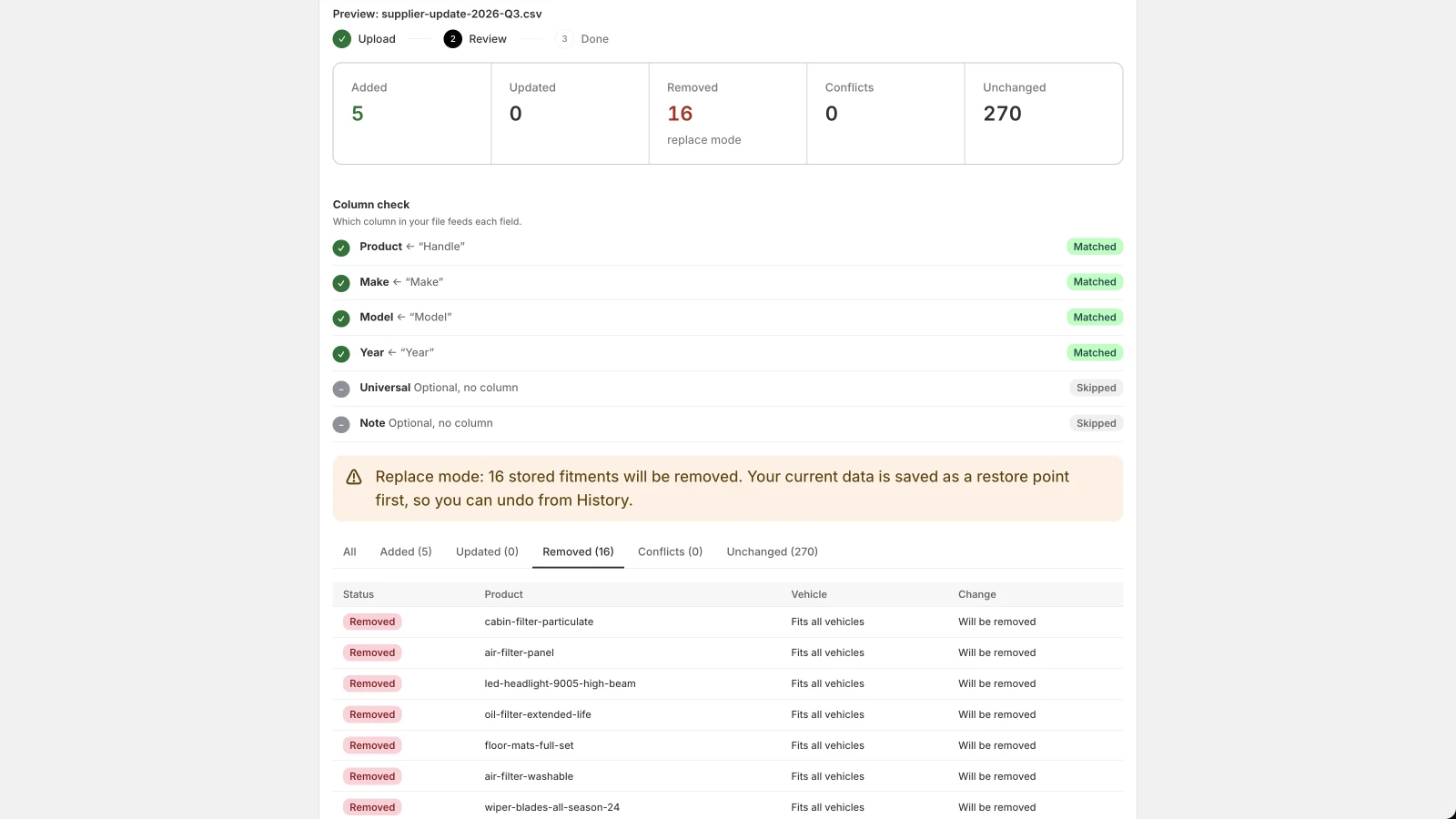
An import preview for a supplier CSV file. The counts show 5 added, 0 updated and 16 removed.

Shown: replace mode, a checkbox you tick. The 16 removals are listed before anything is written, and a restore point is saved first.

The History tab, listing restore points saved before each import, field change and restore.

Watch

See it working in 46 seconds

The search, the fit badge, your fields and an import. No sound. The captions carry it.

What you are not signing up for

  • Locked features

    Every feature on every plan. Plans differ only in how many fitment rows you store.

  • Edits to your theme

    Rendered server-side, and we never write to your theme files. You place app blocks.

  • Lock-in

    Clean, re-importable export. Your data stays yours, and export keeps working if your plan lapses.

  • A charge during the trial

    Shopify bills you after the trial, on your Shopify invoice.

Setup

How it works

  1. Import your fitment data

    Upload a CSV and map the columns. Review the preview before anything is written.

  2. Place the blocks

    Add the vehicle search, fit badge and fitment table in the theme editor.

  3. Shoppers pick their vehicle

    They see parts that fit, and their vehicle is remembered as they browse.

Pricing

Three sizes. Every feature included.

The whole app for 30 days, free. No charge until the trial ends. Development stores are free.

From$10a month

See the plans

FAQ

Questions merchants ask

Does it work with my theme?

Almost certainly, and it is worth checking to be sure. The vehicle search, fit badge and fitment table are app blocks you place wherever you want them, which is how we add nothing to your theme files. Any Online Store 2.0 theme takes them. Some older themes can't take app blocks, so the search can't go on them. If your theme is more than a few years old, send us its name before you subscribe. We'll tell you straight away.

Will importing a new CSV overwrite my existing fitment data?

No, not unless you ask it to. Every import shows what it will add, change and skip before it writes anything. By default it never deletes fitment rows that aren't in your file. Replace mode is a checkbox you tick, and it is previewed like everything else. Every bulk change saves a restore point first, so a bad import is one click to undo.

How is the price worked out?

By the fitment rows your store holds. A fitment row is one product that fits one vehicle. All the years of that vehicle count as one fitment row. There are three plans: Small up to 10,000, Medium up to 100,000 and Large up to 500,000. Small costs $10 a month, Medium $19 and Large $24. Every plan has every feature. Universal-fit parts included. Items that fit everything, without a row per vehicle. Large is the biggest plan. If you have more than 500,000 fitment rows, email us and tell us about your catalogue.

Does it only work for cars?

No. You define the fitment fields yourself, so it fits bikes, mowers, marine, printers or anything else that has a make and a model. Year Make Model is the default because it is what most stores need. With your own fields it works as a product compatibility checker for any catalogue where a part is compatible with some models and not others.

How do shoppers save their vehicle?

They pick it once and it is remembered as they move around the store. My Garage, synced to customer accounts across devices.
Longer answers are in the guides, including how the fitment apps compare on price.

Free for 30 days

Try the whole app on your store

Installs from the Shopify App Store. No charge until the trial ends.

Start your 30-day trial